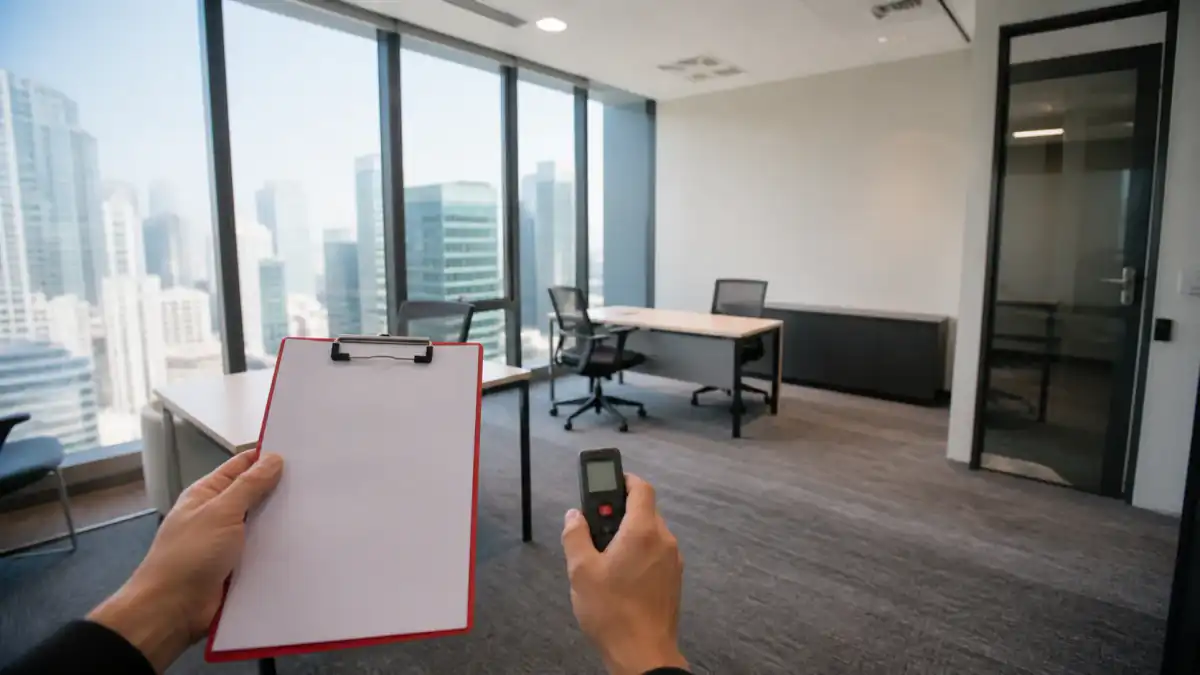
A viewing exists to answer one question: will this exact room, in this building, under this proposal, work for the team?
An unstructured viewing can answer a different one. You tour the lounge, admire the view, ask whether Wi-Fi and meeting rooms are included, and leave with a general impression instead of evidence. The fix is to start at the quoted room, test what can actually be observed, write down what still needs confirming, and carry the open points into the proposal comparison.
This scorecard splits a 30-minute visit into five parts: arrival, the exact room, shared capacity, operations, and commercial match. Where a requirement is critical, a good overall impression cannot compensate for a failure or an unanswered question.
Four statuses, not a score out of ten
Before the first viewing, mark every requirement Critical, Important or Preference. Then give each item you check one evidence status:
| Status | Use it when… |
|---|---|
| Green | You observed or documented the point and it meets the requirement |
| Amber | It may work, but only with a written condition, modification or extra cost |
| Red | It does not meet the requirement |
| Unverified | The evidence was unavailable, or the answer is still only verbal |
A Red or Unverified critical item blocks the option until it is resolved. It does not get averaged away because the reception was impressive and the coffee was good. This is the whole reason for using statuses rather than a percentage: a single number lets a strong lounge quietly cancel out a fatal acoustic problem.
The distinction between observation and confirmation runs through everything below. You can hear noise in the room today; you cannot prove future acoustic confidentiality from a two-minute test. You can see an access reader on the wall; you still need the agreement to say who may enter, when, and at what cost.
Before the appointment
Ask for four things before you travel:
- the exact office or suite ID being quoted;
- the operator-stated capacity and proposed layout;
- the current written proposal or commercial summary;
- confirmation that the quoted room — not a show suite — will be available to inspect.
Bring the brief rather than a headcount: total users, normal and peak attendance, fixed workpoints, confidential-call demand, expected visitors, meeting-room use, working hours, storage, IT.
Book a representative time if you can. A centre at five o'clock will not show you the lift queue, the pantry crush, the booth shortage or the corridor noise that exists when your team actually arrives.
Take with you the phone and carrier the team really uses; a laptop, but only if the operator has agreed to provide test network access; the current quote and floor plan; something to record notes and permitted photographs; and a colleague who understands your IT, operations or client requirements when any of those are critical.
Before minute zero: walk the real route
An advertised station and a published journey time tell you nothing about the walk from platform to desk.
Plan the rail leg with the official MTR Trip Planner, then start from the exit your team and your visitors would actually use, and record:
- exit-to-building walking time at normal pace;
- uncovered sections, footbridges, malls and crossings;
- step-free access where it is needed;
- which entrance works outside reception hours;
- the route a first-time client will probably take.
MTR runs a separate barrier-free facilities search with exit-level detail. Where accessibility is critical, check the station facility and then walk the full exit-to-office route — a station result certifies the station, not the journey.
The 30-minute sequence
| Time | What to inspect | Output |
|---|---|---|
| 0–5 minutes | Building arrival, lifts, reception and visitor handoff | A real arrival record, not a location claim |
| 5–15 minutes | The exact quoted room | Practical capacity, condition, light, noise and privacy evidence |
| 15–20 minutes | Meeting rooms, booths, pantry and washrooms | Shared capacity and booking questions |
| 20–26 minutes | Mobile, permitted Wi-Fi test, power, IT, access, AC and deliveries | Operating requirements and written follow-ups |
| 26–30 minutes | Room ID, handover, start date and proposal | One room-to-quote discrepancy list |
Thirty minutes covers first-stage triage, not full due diligence. A larger suite, a custom layout, a regulated business or a complex IT requirement will need a longer second visit with the right specialist present.
Minutes 0–5: arrival, lifts and reception
Start recording before the tour starts.
Building entry. Is the entrance findable from the route you just tested? Are security registration and access-card procedures clear? Can a visitor get in without someone coming down to collect them? What changes outside staffed hours? And is the accessible entrance the same one, or a separate route round the side?
Lifts. Record the wait you actually observe rather than asking whether the building has fast lifts. Note whether the route involves separate lift banks, a transfer floor or a second access check. If peak waiting matters to you, come back and test it at peak.
Ask separately about the goods lift, the loading bay and how they are booked. A smooth visitor journey proves nothing about whether monitors, furniture and move-in crates can follow the same path.
Reception handoff. Walk it as a visitor would: building registration, arrival at the operator's reception, where you wait, how the host is notified, and the route to the room. Get staffed hours and guest rules in writing — a reception desk existing at 11am does not mean it is staffed whenever your team can reach the office.
Minutes 5–15: the exact room, first
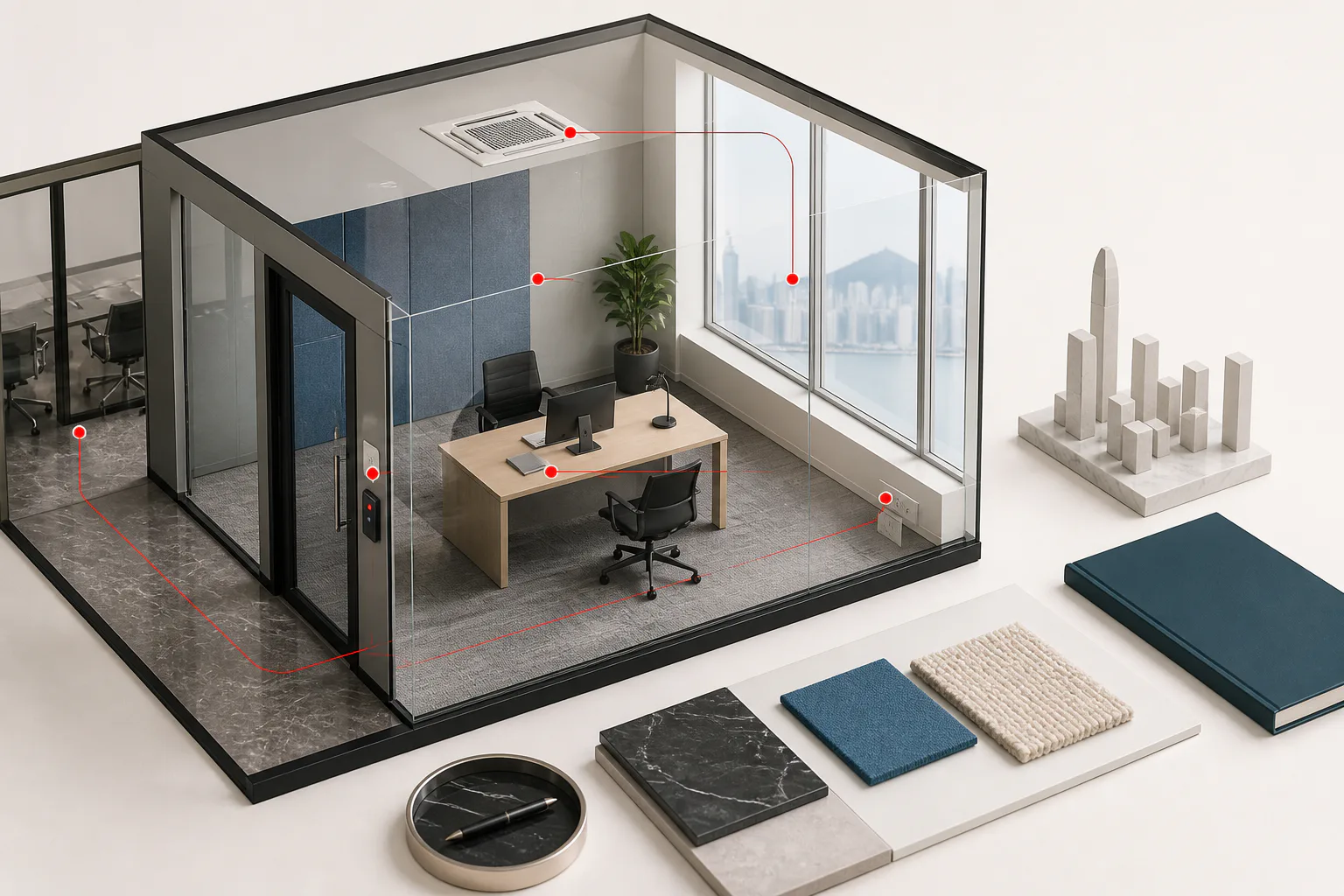
Operator inventory files can hold office number, desk count and internal-or-external position as separate fields. Your viewing record should too.
Write the room or suite ID at the top of the scorecard and check it against the quote. If the exact room cannot be shown, every room-specific line goes down as Unverified. A show suite demonstrates furniture and finishes. It proves nothing about your room's light, outlook, noise, dimensions or condition.
Practical capacity, not billable desks
Sit or stand at the main workpoints and check:
- desk width and spacing for the equipment the team actually uses;
- chair movement and circulation with every intended seat occupied;
- door, cupboard and drawer clearance;
- monitor sightlines and which screens are visible from where;
- storage for bags, files and kit;
- whether an internal call or meeting would disrupt the room;
- where the next two hires would physically sit.
Operator-stated capacity is a commercial field on a product sheet. Practical capacity is lower whenever the team needs bigger monitors, more storage, internal meeting space or simply more room to breathe. Keep both numbers.
Light, outlook and position
Note whether the room is internal or external, and where daylight actually reaches during the appointment. An internal room should not be judged by the windows in the lounge. Check glare as well as brightness, particularly where screens will sit.
Photographs capture one direction at one moment. Record any nearby façade, construction site, plant room, busy road or internal corridor that might affect the room — while resisting the urge to turn a five-minute observation into a guarantee about next winter's daylight.
Condition and promised work
Inspect walls, carpet, glass, doors, blinds, furniture, lights, sockets and visible air-conditioning outlets. Photograph stains, damage, loose fittings, worn furniture or lingering odour — after asking permission.
Anything the operator promises to fix, clean, replace, frost, brand or reconfigure stays Amber until the exact work, the owner, the cost and the completion date are in writing.
The acoustic test
With permission:
- close the door;
- have someone speak inside at normal call volume;
- listen from the corridor or the adjoining area you are allowed into;
- repeat from the desk nearest the door or the shared wall;
- check screen visibility through glass and from circulation routes.
This is an observation, not a soundproofing certificate. Record what was audible and from where. If confidential work is critical, you may need a formal acoustic, security or compliance review on top.
Minutes 15–20: shared capacity, not the amenity list
The question is never whether the centre has meeting rooms, booths and a pantry. It is whether the shared supply holds up at the times and the frequency your team needs it.
Meeting rooms. Ask to see the live booking system or the current availability pattern. Record room sizes and equipment relevant to you, the credits included in your specific proposal, the rate once the allowance runs out, peak-time availability, the advance-booking window, cancellation rules, and how guests and after-hours use are treated. "Meeting rooms available" is not Green until the plan rights and the cost are documented — several operators describe access separately from discounted pay-per-use booking, and the difference is money.
Phone booths and quiet rooms. Count what is available to your floor or member population, not what appears in the brochure. Look at where the booths are, how they ventilate, how they are booked and how many are occupied while you stand there. A booth is no use to a team with simultaneous calls if it is always taken or too small to sit in for an hour.
Pantry, washrooms and common areas. Check the condition of the pantry, the water and beverage arrangements, the state and capacity of the washrooms, and any visible pressure on shared facilities. Inspect the route as well as the finish, and ask who maintains each area — the service boundary between operator and building management is worth knowing before something breaks.
None of this should decide the deal. It does expose the daily friction that never appears in room photography.
Minutes 20–26: operations, IT, access, air-conditioning
Mobile and connectivity. Test calls and mobile data in the exact room, on the carriers the team actually uses. If lifts, basement routes or car parks matter, test there too, without getting in anyone's way.
Hong Kong's OFCA indoor 5G labelling scheme identifies buildings with facilities in certain indoor common areas — useful context, though OFCA itself notes that real speed depends on network capacity, concurrent users, device and location. A building label is not a guarantee of performance at your desk.
If the operator permits a Wi-Fi test, record the network, the place, the time and the device. One speed result proves speed at one moment; it says nothing about security, capacity, resilience or what happens at 10am on a Tuesday. Get written answers on shared Wi-Fi and wired ports, dedicated bandwidth or private network options, fixed IP, firewall or VLAN needs, server rack and comms-room access, cabling and equipment permissions, lead time and setup cost, support hours and escalation, and backup arrangements.
Power and equipment. Count the usable sockets at the actual workpoints, and work out where monitors, chargers and printers would plug in without cabling across a walkway. Any custom electrical or cabling work needs written feasibility, cost and approval before it becomes an assumption.
Access and air-conditioning. Keep six fields separate: building entry hours, centre entry hours, access to your exact office, staffed reception and support hours, air-conditioning hours, and the after-hours request process and its cost. Operators may advertise 24/7 access while making the actual entitlement depend on the plan — and entry rights say nothing about whether reception or the air-conditioning runs on the same schedule.
Air quality and comfort. Record temperature, airflow, odour and any visible damp or poor maintenance as observations. Ask whether the building or centre holds a current Hong Kong IAQ certificate and which floors it covers. The IAQ Certification Scheme is voluntary, and certification can cover a whole building or only part of one — so a lobby plaque needs matching to its actual scope. A viewing cannot certify anything here.
Deliveries and continuity. Ask how couriers, large parcels and move-in equipment reach the centre, what the loading times are, how the goods lift is booked and what storage limits apply. For business-critical operations, ask who tells you about a building outage, an access interruption or an operator incident, and whether any alternative workspace is contractual rather than goodwill.
Minutes 26–30: reconcile the room with the proposal
Finish with the quote open in front of you. Confirm each of these or mark it Unverified:
- operator, building, floor and centre;
- exact room or suite ID;
- internal or external position;
- operator-stated and practical capacity;
- furniture included and the final layout;
- handover condition and promised works;
- target start date and current availability;
- membership or agreement term;
- access and air-conditioning basis;
- IT configuration and lead time;
- meeting-room allowance and overage;
- every verbal concession made during the visit.
Memory is a weak substitute for a written record a week later. Put every discrepancy and confirmation request into a single follow-up message tied to the specific option.
Use the full quotation comparison method once the physical options have cleared their critical viewing requirements.
Red flags that stop the comparison
- The quote names one room, but only a show suite or the lounge is available to view.
- The room hits its advertised capacity only by removing storage, blocking circulation or abandoning your layout.
- A critical acoustic, access, IT or air-conditioning question cannot be tested and will not be confirmed in writing.
- The photographs cannot be identified as the exact room, a shared area or an illustration.
- Promised repairs, layout changes, furniture or branding stay verbal.
- The start date, room ID or capacity changes between the viewing and the proposal.
- A critical requirement is still Unverified, but the option is being discussed internally as approved.
None of these proves bad faith. Each means the evidence is not yet strong enough to proceed as though the question were settled.
If the viewing is virtual
Ask for one continuous live walkthrough rather than an edited montage, covering: building or centre arrival; reception and the visitor route; the corridor outside the room; the room ID and door; each wall, workpoint, window and storage area; the view from and toward the room; nearby meeting rooms, booths, pantry and washroom route; and any booking system or facility relevant to your plan.
Ask the operator to say plainly which footage is the exact room and which is illustrative. A virtual tour cannot test lift waiting, mobile reception, acoustics, temperature, odour, chair clearance or your own network setup. Those stay Unverified until someone stands in the room.
Immediately after the visit
Before you see the next option:
- finish every status while the evidence is fresh;
- label photographs with building, centre, date and whether they show the exact room, a shared area or an illustration;
- list all Red and Unverified critical items at the top;
- assign each follow-up to the operator, to us, or to an internal specialist;
- set a decision deadline against proposal validity and current availability;
- carry only viable options into the like-for-like cost and agreement comparison.
Photographs containing other members, access credentials, screens or confidential documents should not be circulated at all.
Frequently asked questions
Should I view the exact room if I have already seen the centre?
Yes. Position, condition, light, outlook, noise, layout and practical capacity all vary inside one centre. A previous visit gives you centre context, not room-level evidence.
Is 30 minutes enough?
For structured first-stage triage on a straightforward requirement, with the exact room ready to inspect — yes. A larger suite, custom layout, technical installation or regulated business needs a longer second visit with IT, security, facilities, legal or compliance in the room.
Should I run a Wi-Fi speed test?
Only with permission and on access the operator provides. Record device, network, time and location. It is one observation, and it proves nothing about security, resilience, dedicated capacity or performance under load.
Does 24/7 access mean air-conditioning and reception too?
Not necessarily. Building entry, centre entry, exact-room access, staffed service, standard air-conditioning hours, and the after-hours request process and its cost are six separate answers for your specific plan.
Can a virtual tour replace an in-person viewing?
It can verify identity, layout and visible condition, provided the operator shows the exact room live. It cannot verify the commute, the lifts, the acoustics, mobile reception, temperature or physical fit. Leave those Unverified until there is onsite evidence.
What should I photograph?
With permission: the room ID, each wall, the workpoints, windows, storage, any visible defect and every agreed handover item. Label room photographs separately from shared facilities and illustrations. Keep people, screens, access-control detail and confidential material out of frame.
Use the scorecard on your shortlist
Work through the sequence above, mark the team's critical requirements, and hold every option to the same evidence standard. For a reusable viewing record with fields for priority, status, evidence, owner and deadline, download the expanded scorecard.
Download the 30-minute serviced-office viewing scorecard (.xlsx)
Open the private-office catalogue
We can organise the brief, the shortlist, the viewing schedule and the proposal questions around a single decision record — or if you want the wider operator-managed model first, start with serviced offices in Hong Kong.
See how our search and viewing process works
Sources and limitations
- Current operator-supplied room and centre materials reviewed 9 August 2026. No confidential price or availability is reproduced.
- GovHK — Renting an Office or Business Premises, last review shown as May 2025; accessed 9 August 2026.
- MTR Trip Planner and barrier-free facilities search, accessed 9 August 2026.
- Hong Kong IAQ Certification Scheme, accessed 9 August 2026.
- OFCA — Labelling Scheme for Buildings with 5G Indoor Coverage, accessed 9 August 2026.
- Eaton Club — Private Office, accessed 9 August 2026.
- The Executive Centre — Hong Kong Private Office, accessed 9 August 2026.
This is a practical viewing and comparison tool, not a building survey, safety certification, accessibility audit, IT or security assessment, legal advice or a compliance determination. Operator availability, services, pricing and terms all need current written confirmation.